
Shopping habits have changed quite a bit in recent years. People still visit their local grocery stores, but many now prefer ordering everyday items online when they are busy or simply want to save a trip.
For a grocery store owner, this creates an opportunity. Going online does not mean you have to give up your physical shop. You can continue serving walk-in customers while giving others the option to order from home.
If you are wondering how to start an online grocery store in India, you do not necessarily need to build a large business from day one. A better approach is to start with what you already have, understand your customers and gradually build the online side of your business.
Here are the main steps to consider.
For a grocery store owner, this creates an opportunity. Going online does not mean you have to give up your physical shop. You can continue serving walk-in customers while giving others the option to order from home.
If you are wondering how to start an online grocery store in India, you do not necessarily need to build a large business from day one. A better approach is to start with what you already have, understand your customers and gradually build the online side of your business.
Here are the main steps to consider.
1. Start With Your Existing Business
If you already own a grocery store, you have an advantage. You probably already know which products sell well, who your regular customers are and which suppliers you work with.
Instead of creating a completely separate business, you can add online ordering to your existing store.
For example, a local supermarket can continue serving customers who visit the shop while nearby customers place orders online. The same inventory and supplier relationships can support both channels, as long as stock is managed properly.
If you are starting from scratch, you will have to plan storage, suppliers, inventory and delivery from the beginning. So, first decide which model makes sense for your situation.
2. Know Who Your Customers Are
Before putting products online, think about the people who are most likely to order from you.
Are they families living nearby? Working professionals? Elderly customers? People who regularly buy groceries in bulk?
Look at your existing customers and their buying habits. You can also consider:
- Where your customers live
- What they usually purchase
- How often they shop
- Their typical order value
- How far you can deliver
You do not need to target an entire city immediately. If most of your customers are within a few kilometres of your store, start there. It will be easier to manage deliveries and understand what people actually want to buy online.
3. Choose the Right Products
You do not need to upload every item from your physical store on the first day.
Start with products people buy regularly. Rice, flour, pulses, cooking oil, sugar, snacks, cleaning products and personal care items are common examples.
You can also include local products that are popular in your area. These can sometimes give a local grocery store an advantage over larger online marketplaces.
Keep the initial catalogue manageable. Once you start receiving orders, you will have a better idea of which products customers are looking for and can expand accordingly.
4. Make Product Details Clear
Online customers cannot pick up a product and check the packaging themselves. That makes clear product information important.
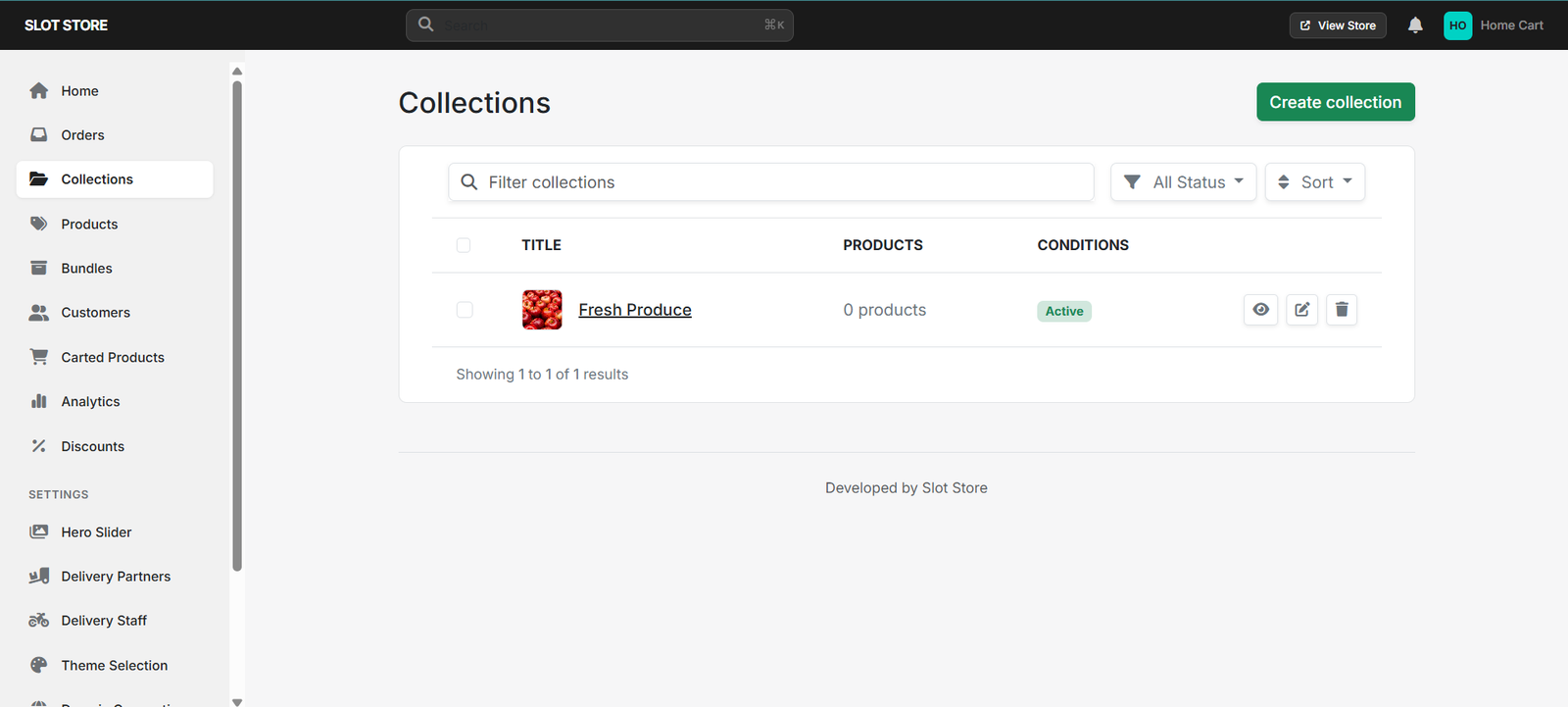
For every product, try to include the name, brand, quantity, price and a good product image. If there are different sizes or variants, mention them clearly.
For example, instead of simply listing “Rice,” specify whether it is a 1 kg, 5 kg or 10 kg pack and include the brand or type.
This may seem like a small detail, but accurate product information can prevent confusion and reduce mistakes when orders are being prepared.
5. Choose How Customers Will Order
Next, decide how customers will place their orders.
You can use an e-commerce website, a grocery-focused online-store platform or another suitable digital ordering system.
Whatever you choose, customers should not have to struggle to place an order. They should be able to browse products, add items to a cart, enter their delivery details, choose a payment method and complete the order without unnecessary steps.
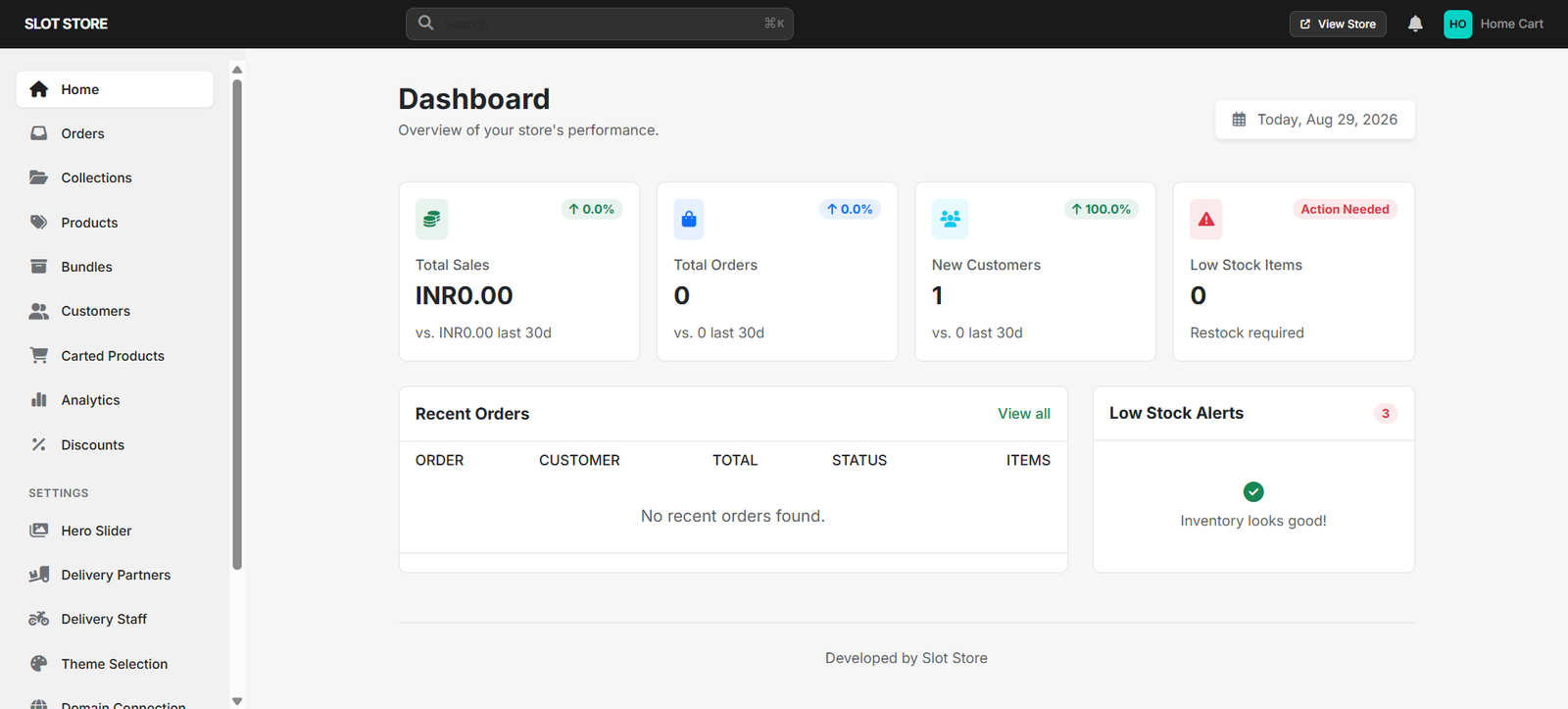
A grocery-focused solution such as Slot Store can be one option to consider. Rather than developing everything from scratch, store owners can look at whether a platform like this fits their products, ordering process and day-to-day operations.
The right platform depends on the size and needs of your business, so it is worth comparing your requirements before making a decision.
6. Keep Your Stock Updated
One of the biggest challenges for a grocery store selling both offline and online is inventory.
Suppose there is only one packet of a product left. A customer buys it from the physical store, but the online store still shows it as available. Another customer then places an order for that product.
Now your staff has to explain the situation and possibly arrange a replacement.
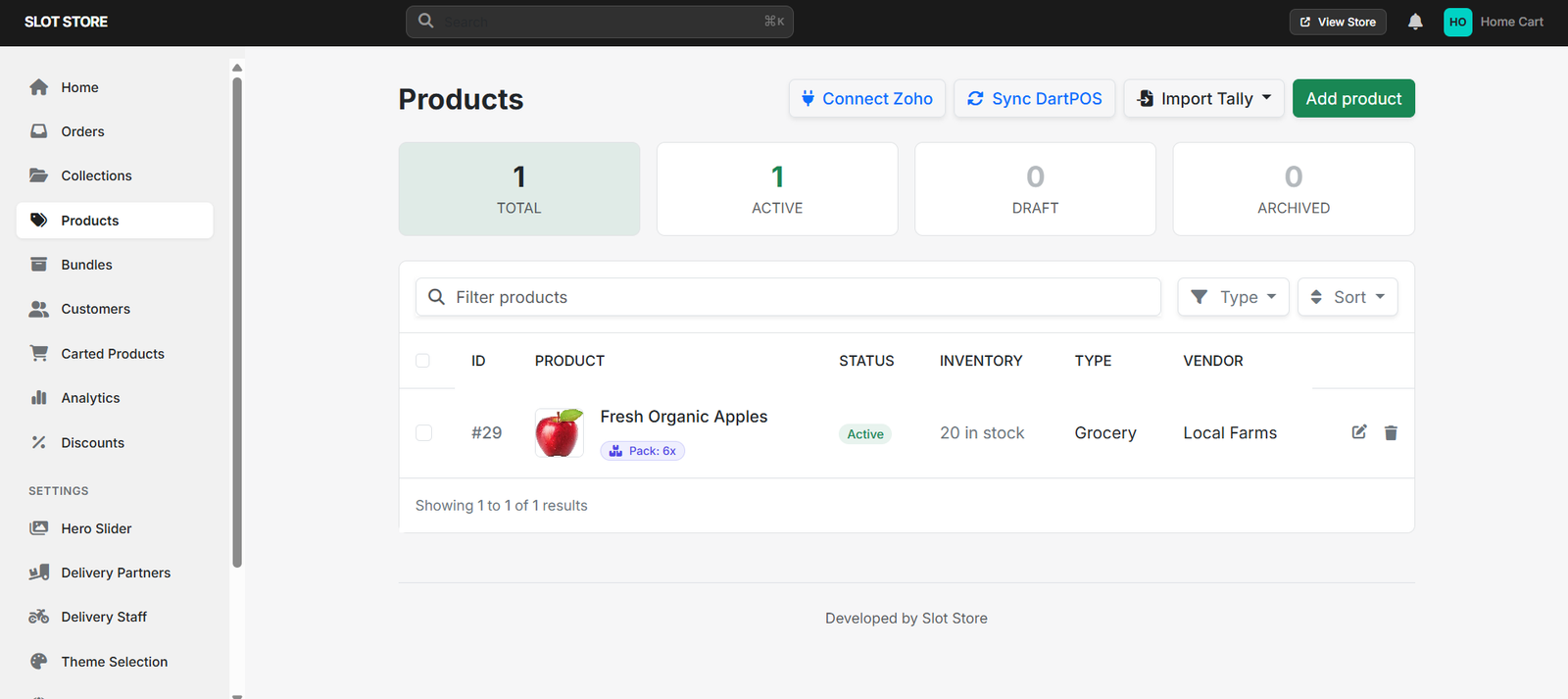
To avoid this, you need a clear way to keep stock updated. Decide how often inventory will be checked and how online orders will affect available stock.
It is also useful to have a plan for unavailable products. If a particular brand is out of stock, decide whether staff should contact the customer before offering a replacement.
7. Offer Convenient Payment Options
Customers expect a simple payment process when ordering online.
Depending on your business, you can provide suitable digital payment options and, where practical, cash on delivery.
Your staff should also know when an order is considered confirmed and when it can move to the next stage.
A simple process could be:
Order received → Payment confirmed → Products picked → Order packed → Delivery assigned
Having a clear process makes it easier for staff to handle orders, especially when the number of online purchases starts increasing.
8. Keep the Delivery Area Realistic
Delivery can quickly become expensive if you try to cover too large an area.
A small grocery store may be better off starting with nearby locations. For example, you could begin by delivering within 3–5 kilometres and expand later if the operation works well.
Before deciding the delivery area, consider your staff, vehicles, delivery time and expected order volume.
You also need to decide whether to charge a delivery fee or provide free delivery above a particular order value.
Most importantly, be realistic about delivery times. Customers are more likely to order again when they know they can depend on your delivery service.
9. Create a Simple Order Process
Once an order comes in, your team needs to know exactly what happens next.
A basic process can be:
Order received → Check order → Pick products → Check unavailable items → Pack → Assign delivery → Dispatch
The process does not have to be complicated. What matters is that everyone involved understands their responsibility.
If online orders are coming through WhatsApp, phone calls, social media and a website at the same time, it can become difficult to keep track of everything. Having a central process can help prevent missed orders and mistakes.
10. Promote the Store to Existing Customers
Getting your first online customers does not always require a large advertising budget.
Your existing customers are a good place to start.
Let them know that they can now order from your store online. You can use WhatsApp messages, social media posts, QR codes, shop boards, printed bills or local community groups to spread the word.
A customer who already trusts your store does not need to be convinced about the quality of your products. You are simply giving them another way to shop.
Once online orders become regular, you can explore other marketing methods to reach new customers.
11. Learn From Your First Orders
Do not expect everything to work perfectly from the beginning.
Your first few weeks of online sales can tell you a lot about your customers and your operations.
Keep an eye on which products sell most, which products are often out of stock, how long deliveries take and how many customers return to place another order.
You may also notice that customers frequently buy certain products together. That can help you create useful bundles or offers.
The idea is to use actual customer behaviour to improve the store instead of making every decision based only on assumptions.
If you already own a grocery store, you have an advantage. You probably already know which products sell well, who your regular customers are and which suppliers you work with.
Instead of creating a completely separate business, you can add online ordering to your existing store.
For example, a local supermarket can continue serving customers who visit the shop while nearby customers place orders online. The same inventory and supplier relationships can support both channels, as long as stock is managed properly.
If you are starting from scratch, you will have to plan storage, suppliers, inventory and delivery from the beginning. So, first decide which model makes sense for your situation.
2. Know Who Your Customers Are
Before putting products online, think about the people who are most likely to order from you.
Are they families living nearby? Working professionals? Elderly customers? People who regularly buy groceries in bulk?
Look at your existing customers and their buying habits. You can also consider:
- Where your customers live
- What they usually purchase
- How often they shop
- Their typical order value
- How far you can deliver
You do not need to target an entire city immediately. If most of your customers are within a few kilometres of your store, start there. It will be easier to manage deliveries and understand what people actually want to buy online.
3. Choose the Right Products
You do not need to upload every item from your physical store on the first day.
Start with products people buy regularly. Rice, flour, pulses, cooking oil, sugar, snacks, cleaning products and personal care items are common examples.
You can also include local products that are popular in your area. These can sometimes give a local grocery store an advantage over larger online marketplaces.
Keep the initial catalogue manageable. Once you start receiving orders, you will have a better idea of which products customers are looking for and can expand accordingly.
4. Make Product Details Clear
Online customers cannot pick up a product and check the packaging themselves. That makes clear product information important.
For every product, try to include the name, brand, quantity, price and a good product image. If there are different sizes or variants, mention them clearly.
For example, instead of simply listing “Rice,” specify whether it is a 1 kg, 5 kg or 10 kg pack and include the brand or type.
This may seem like a small detail, but accurate product information can prevent confusion and reduce mistakes when orders are being prepared.
5. Choose How Customers Will Order
Next, decide how customers will place their orders.
You can use an e-commerce website, a grocery-focused online-store platform or another suitable digital ordering system.
Whatever you choose, customers should not have to struggle to place an order. They should be able to browse products, add items to a cart, enter their delivery details, choose a payment method and complete the order without unnecessary steps.
A grocery-focused solution such as Slot Store can be one option to consider. Rather than developing everything from scratch, store owners can look at whether a platform like this fits their products, ordering process and day-to-day operations.
The right platform depends on the size and needs of your business, so it is worth comparing your requirements before making a decision.
6. Keep Your Stock Updated
One of the biggest challenges for a grocery store selling both offline and online is inventory.
Suppose there is only one packet of a product left. A customer buys it from the physical store, but the online store still shows it as available. Another customer then places an order for that product.
Now your staff has to explain the situation and possibly arrange a replacement.
To avoid this, you need a clear way to keep stock updated. Decide how often inventory will be checked and how online orders will affect available stock.
It is also useful to have a plan for unavailable products. If a particular brand is out of stock, decide whether staff should contact the customer before offering a replacement.
7. Offer Convenient Payment Options
Customers expect a simple payment process when ordering online.
Depending on your business, you can provide suitable digital payment options and, where practical, cash on delivery.
Your staff should also know when an order is considered confirmed and when it can move to the next stage.
A simple process could be:
Order received → Payment confirmed → Products picked → Order packed → Delivery assigned
Having a clear process makes it easier for staff to handle orders, especially when the number of online purchases starts increasing.
8. Keep the Delivery Area Realistic
Delivery can quickly become expensive if you try to cover too large an area.
A small grocery store may be better off starting with nearby locations. For example, you could begin by delivering within 3–5 kilometres and expand later if the operation works well.
Before deciding the delivery area, consider your staff, vehicles, delivery time and expected order volume.
You also need to decide whether to charge a delivery fee or provide free delivery above a particular order value.
Most importantly, be realistic about delivery times. Customers are more likely to order again when they know they can depend on your delivery service.
9. Create a Simple Order Process
Once an order comes in, your team needs to know exactly what happens next.
A basic process can be:
Order received → Check order → Pick products → Check unavailable items → Pack → Assign delivery → Dispatch
The process does not have to be complicated. What matters is that everyone involved understands their responsibility.
If online orders are coming through WhatsApp, phone calls, social media and a website at the same time, it can become difficult to keep track of everything. Having a central process can help prevent missed orders and mistakes.
10. Promote the Store to Existing Customers
Getting your first online customers does not always require a large advertising budget.
Your existing customers are a good place to start.
Let them know that they can now order from your store online. You can use WhatsApp messages, social media posts, QR codes, shop boards, printed bills or local community groups to spread the word.
A customer who already trusts your store does not need to be convinced about the quality of your products. You are simply giving them another way to shop.
Once online orders become regular, you can explore other marketing methods to reach new customers.
11. Learn From Your First Orders
Do not expect everything to work perfectly from the beginning.
Your first few weeks of online sales can tell you a lot about your customers and your operations.
Keep an eye on which products sell most, which products are often out of stock, how long deliveries take and how many customers return to place another order.
You may also notice that customers frequently buy certain products together. That can help you create useful bundles or offers.
The idea is to use actual customer behaviour to improve the store instead of making every decision based only on assumptions.
Common Mistakes to Avoid
1. Adding too many products at once
A large catalogue is not helpful if many items are unavailable or difficult to find.
2. Forgetting about inventory
Showing products as available when they are out of stock can lead to cancellations and unhappy customers.
3. Expanding delivery too soon
A wider delivery area can increase costs and make order fulfilment harder to manage.
4. Focusing only on the website
Your online store may look good, but customers will still judge you by the accuracy of their order, product quality and delivery experience.
5. Ignoring your existing customers
Your current customer base can be one of the easiest ways to generate your first online orders.
1. Adding too many products at once
A large catalogue is not helpful if many items are unavailable or difficult to find.
2. Forgetting about inventory
Showing products as available when they are out of stock can lead to cancellations and unhappy customers.
3. Expanding delivery too soon
A wider delivery area can increase costs and make order fulfilment harder to manage.
4. Focusing only on the website
Your online store may look good, but customers will still judge you by the accuracy of their order, product quality and delivery experience.
5. Ignoring your existing customers
Your current customer base can be one of the easiest ways to generate your first online orders.