<p><span style="background-color: transparent; color: rgb(0, 0, 0);">When customers shop for groceries in a physical store, they can pick up a product, check the label, compare sizes, and decide on the spot.</span></p><p><span style="background-color: transparent; color: rgb(0, 0, 0);">Online, they have to do all of that from a product page.</span></p><p><span style="background-color: transparent; color: rgb(0, 0, 0);">That is why the way a grocery store presents its products can make a real difference. When customers can quickly understand what they are looking at, they are more likely to feel confident adding it to their cart.</span></p><p><br></p>
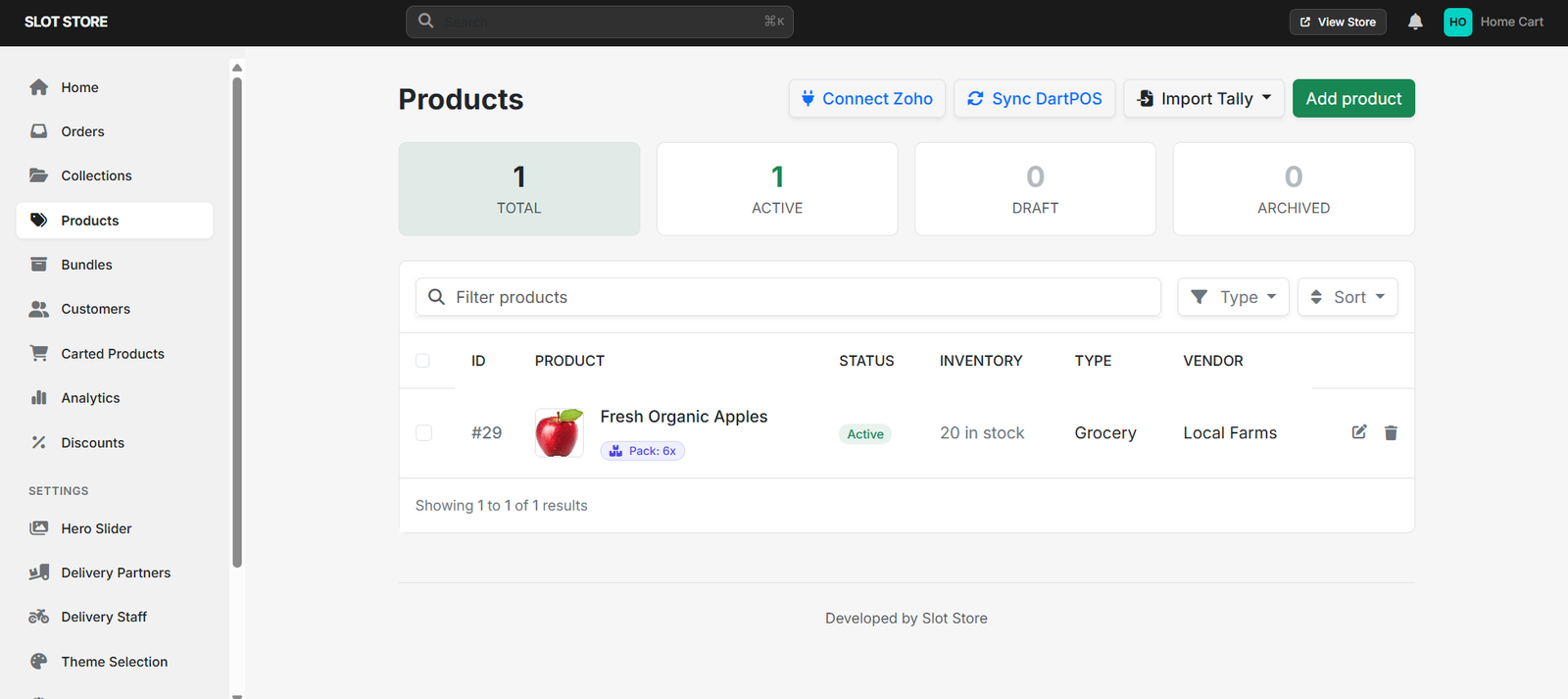
<h3><strong style="background-color: transparent; color: rgb(0, 0, 0);">Start With the Product Name</strong></h3><p><span style="background-color: transparent; color: rgb(0, 0, 0);">The product name should give customers enough information to recognise the item immediately.</span></p><p><span style="background-color: transparent; color: rgb(0, 0, 0);">For example, </span><strong style="background-color: transparent; color: rgb(0, 0, 0);">Fresh Organic Apples – 1kg </strong><span style="background-color: transparent; color: rgb(0, 0, 0);"> is more useful than simply </span><strong style="background-color: transparent; color: rgb(0, 0, 0);">“Apples.”</strong></p><p><span style="background-color: transparent; color: rgb(0, 0, 0);">A clear name can help customers understand the product without opening several pages to find basic details.</span></p><h3><strong style="background-color: transparent; color: rgb(0, 0, 0);">Use Images That Show the Product Clearly</strong></h3><p><span style="background-color: transparent; color: rgb(0, 0, 0);">Customers cannot physically examine an item through a screen, so the product image becomes an important part of the buying decision.</span></p><p><span style="background-color: transparent; color: rgb(0, 0, 0);">Use images that are:</span></p><ol><li data-list="bullet"><span class="ql-ui" contenteditable="false"></span><span style="background-color: transparent; color: rgb(0, 0, 0);">Clear and easy to recognise</span></li><li data-list="bullet"><span class="ql-ui" contenteditable="false"></span><span style="background-color: transparent; color: rgb(0, 0, 0);">Relevant to the actual product</span></li><li data-list="bullet"><span class="ql-ui" contenteditable="false"></span><span style="background-color: transparent; color: rgb(0, 0, 0);">Well suited to the product being sold</span></li><li data-list="bullet"><span class="ql-ui" contenteditable="false"></span><span style="background-color: transparent; color: rgb(0, 0, 0);">Consistent across your online store</span></li></ol><p><span style="background-color: transparent; color: rgb(0, 0, 0);">For packaged products, showing the packaging can also help customers recognise what they normally buy in-store.</span></p><h3><strong style="background-color: transparent; color: rgb(0, 0, 0);">Give Enough Information — Not Too Much</strong></h3><p><span style="background-color: transparent; color: rgb(0, 0, 0);">A product description does not need to be a long paragraph.</span></p><p><span style="background-color: transparent; color: rgb(0, 0, 0);">Focus on the details that can help someone decide:</span></p><ol><li data-list="bullet"><span class="ql-ui" contenteditable="false"></span><span style="background-color: transparent; color: rgb(0, 0, 0);">Brand</span></li><li data-list="bullet"><span class="ql-ui" contenteditable="false"></span><span style="background-color: transparent; color: rgb(0, 0, 0);">Weight or quantity</span></li><li data-list="bullet"><span class="ql-ui" contenteditable="false"></span><span style="background-color: transparent; color: rgb(0, 0, 0);">Ingredients, where relevant</span></li><li data-list="bullet"><span class="ql-ui" contenteditable="false"></span><span style="background-color: transparent; color: rgb(0, 0, 0);">Pack size</span></li><li data-list="bullet"><span class="ql-ui" contenteditable="false"></span><span style="background-color: transparent; color: rgb(0, 0, 0);">Product type</span></li><li data-list="bullet"><span class="ql-ui" contenteditable="false"></span><span style="background-color: transparent; color: rgb(0, 0, 0);">Important product details</span></li></ol><p><span style="background-color: transparent; color: rgb(0, 0, 0);">For example, a customer choosing between two rice packs may simply need to know the brand, weight, and type of rice.</span></p><h3><strong style="background-color: transparent; color: rgb(0, 0, 0);">Make Sizes and Prices Easy to Compare</strong></h3><p><span style="background-color: transparent; color: rgb(0, 0, 0);">If the same product comes in multiple sizes, customers should be able to see the choices without confusion.</span></p><p><span style="background-color: transparent; color: rgb(0, 0, 0);">For example:</span></p><p><strong style="background-color: transparent; color: rgb(0, 0, 0);">500g — ₹70</strong></p><p><strong style="background-color: transparent; color: rgb(0, 0, 0);">1kg — ₹120</strong></p><p><strong style="background-color: transparent; color: rgb(0, 0, 0);">2kg — ₹220</strong></p><p><span style="background-color: transparent; color: rgb(0, 0, 0);">Clear options make it easier for customers to compare and choose what fits their needs.</span></p><p><br></p>
<h3><strong style="background-color: transparent; color: rgb(0, 0, 0);">Help Customers Find Products Faster</strong></h3><p><span style="background-color: transparent; color: rgb(0, 0, 0);">Product information is only useful when customers can actually find the item.</span></p><p><span style="background-color: transparent; color: rgb(0, 0, 0);">Organise products into relevant categories and collections so customers can browse based on what they need — such as fruits, vegetables, dairy, snacks, or household essentials.</span></p><p><span style="background-color: transparent; color: rgb(0, 0, 0);">A well-organised store reduces the time customers spend searching.</span></p><h3><strong style="background-color: transparent; color: rgb(0, 0, 0);">Keep the Online Store Up to Date</strong></h3><p><span style="background-color: transparent; color: rgb(0, 0, 0);">Imagine a customer orders a product because the website shows it as available, only to discover later that it is out of stock.</span></p><p><span style="background-color: transparent; color: rgb(0, 0, 0);">Small mismatches like this can affect the shopping experience.</span></p><p><span style="background-color: transparent; color: rgb(0, 0, 0);">Keep product prices, availability, images, variants, and other important details updated so customers know what they can actually order.</span></p><h3><strong style="background-color: transparent; color: rgb(0, 0, 0);">Think Like the Customer</strong></h3><p><span style="background-color: transparent; color: rgb(0, 0, 0);">Before publishing a product, look at the page from a customer's point of view.</span></p><p><span style="background-color: transparent; color: rgb(0, 0, 0);">Ask:</span></p><ol><li data-list="bullet"><span class="ql-ui" contenteditable="false"></span><strong style="background-color: transparent; color: rgb(0, 0, 0);">Can I tell what this product is?</strong></li><li data-list="bullet"><span class="ql-ui" contenteditable="false"></span><strong style="background-color: transparent; color: rgb(0, 0, 0);">Do I know how much I am getting?</strong></li><li data-list="bullet"><span class="ql-ui" contenteditable="false"></span><strong style="background-color: transparent; color: rgb(0, 0, 0);">Can I see the price clearly?</strong></li><li data-list="bullet"><span class="ql-ui" contenteditable="false"></span><strong style="background-color: transparent; color: rgb(0, 0, 0);">Can I choose the right size or variant?</strong></li><li data-list="bullet"><span class="ql-ui" contenteditable="false"></span><strong style="background-color: transparent; color: rgb(0, 0, 0);">Do I have enough information to place the order confidently?</strong></li></ol><p><span style="background-color: transparent; color: rgb(0, 0, 0);">If the answer is yes, the product page is doing its job.</span></p><h3><strong style="background-color: transparent; color: rgb(0, 0, 0);">Turning Better Product Pages Into Better Shopping Experiences</strong></h3><p><span style="background-color: transparent; color: rgb(0, 0, 0);">This is where an online ordering platform can make the process easier for grocery businesses.</span></p><p><span style="background-color: transparent; color: rgb(0, 0, 0);">Slot Store allows stores to bring their products online with details such as images, pricing, variants, and product organisation. This gives customers a clearer way to browse products and choose what they need before placing an order.</span></p><h3><strong style="background-color: transparent; color: rgb(0, 0, 0);">From Browsing to Buying</strong></h3><p><span style="background-color: transparent; color: rgb(0, 0, 0);">Customers do not need endless information before buying a grocery product. They need the </span><strong style="background-color: transparent; color: rgb(0, 0, 0);">right information at the right time</strong><span style="background-color: transparent; color: rgb(0, 0, 0);">.</span></p><p><span style="background-color: transparent; color: rgb(0, 0, 0);">A clear name, useful image, relevant details, simple pricing, and easy product discovery can remove small points of hesitation and make online shopping more comfortable.</span></p><p><span style="background-color: transparent; color: rgb(0, 0, 0);">For grocery businesses, improving these basics can be a simple way to create a better customer experience as online ordering grows.</span></p><h3><strong style="background-color: transparent; color: rgb(0, 0, 0);">FAQs</strong></h3><p><strong style="background-color: transparent; color: rgb(0, 0, 0);">1. What information should an online grocery product include?</strong></p><p><span style="background-color: transparent; color: rgb(0, 0, 0);">At minimum, include the product name, image, price, quantity or size, and any important details customers need to make a choice.</span></p><p><strong style="background-color: transparent; color: rgb(0, 0, 0);">2. Why are product images important for online grocery stores?</strong></p><p><span style="background-color: transparent; color: rgb(0, 0, 0);">Customers cannot physically inspect products online, so images help them recognise and understand what they are ordering.</span></p><p><strong style="background-color: transparent; color: rgb(0, 0, 0);">3. Should every product have a long description?</strong></p><p><span style="background-color: transparent; color: rgb(0, 0, 0);">No. Keep descriptions short and focus on details that actually help customers decide.</span></p><p><strong style="background-color: transparent; color: rgb(0, 0, 0);">4. Why should grocery stores organise products into categories?</strong></p><p><span style="background-color: transparent; color: rgb(0, 0, 0);">Categories make browsing faster and help customers reach the products they need without searching through the entire store.</span></p><p><strong style="background-color: transparent; color: rgb(0, 0, 0);">5. Can better product information increase online orders?</strong></p><p><span style="background-color: transparent; color: rgb(0, 0, 0);">Clear product information can reduce uncertainty and make it easier for customers to decide what to add to their cart.</span></p><h3><strong style="background-color: transparent; color: rgb(0, 0, 0);">Ready to Make Online Grocery Shopping Easier?</strong></h3><p><span style="background-color: transparent; color: rgb(0, 0, 0);">Your customers should not have to guess what they are buying.</span></p><p><strong style="background-color: transparent; color: rgb(0, 0, 0);">Give them clearer product information, an easier way to browse, and a smoother path from product discovery to checkout with Slot Store.</strong></p><p><u style="background-color: transparent; color: rgb(17, 85, 204);"><a href="https://goslot.store/?utm_source=chatgpt.com" rel="noopener noreferrer" target="_blank">Explore Slot Store</a></u></p><p><br></p><p><br></p>